This article introduces the procedure for outputting different layouts for open and closed cases related to the Account using "Advanced Relationship Settings" in Office File Creator.
*This feature is available in Office File Creator Pro.
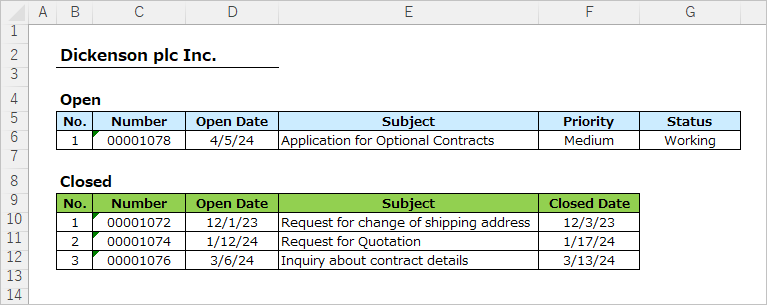
Output Sample
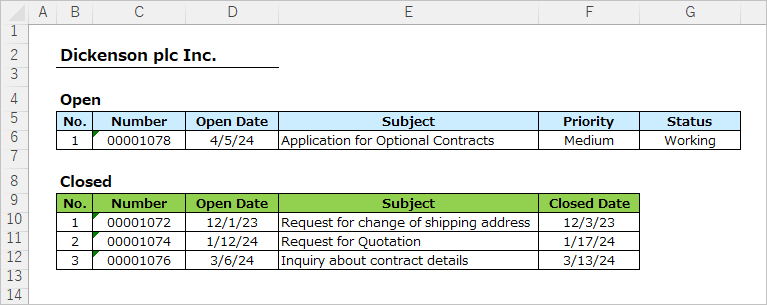
Cases related to the Account are output in different layouts, with statuses divided into open and closed.
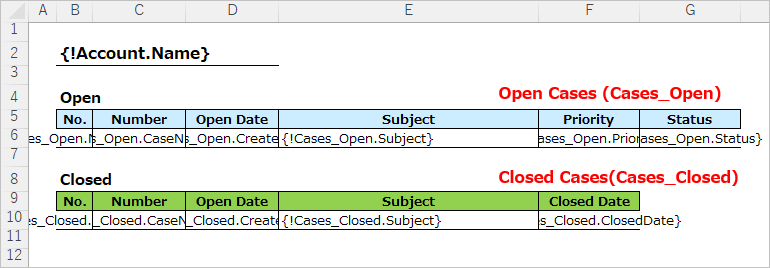
Merge Fields Settings
Set up child record merge fields in the template file. In this case, we will set different child relationship names for open and closed cases, since the layout is separated by statuses open and closed.
The child relationship name can be set to any name. The child relationship name is used only for tying to the OFC_Child Object Option record to be set up later. Like a custom field API name, it must begin with a letter, and only alphanumeric characters and underscores are allowed.
This time, set the following with the statuses open and closed.
Child relationship name for Open: Cases_Open
Child relationship name for Closed: Cases_Closed
OFC_Child Object Option Record Settings
Create an OFC_Child Object Option record. In this case, create two records, one for the Open Cases and one for the Closed Cases.
Create the OFC_Child Object Option Record for Open Cases
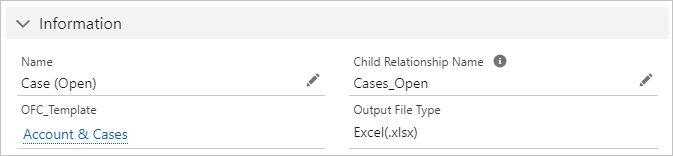
Enter basic information.
Name: Case (Open)
Child Relationship Name: Enter the child relationship name "Cases_Open" for the Open Cases.
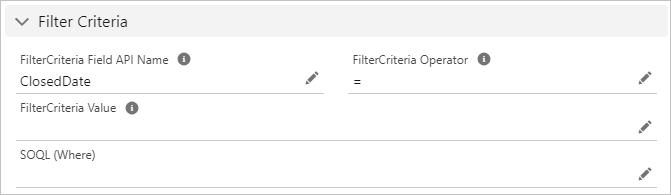
Next, enter the field values in the "Filter Criteria" section.
Filter Criteria Field API Name: ClosedDate
Filter Criteria Operator: =
Filter Criteria Value: (Leave blank)
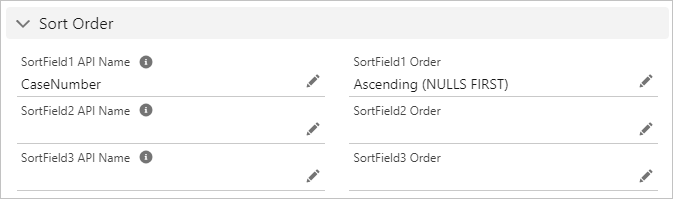
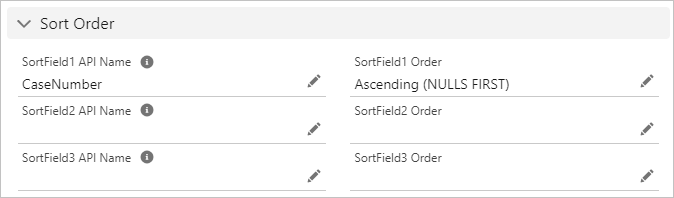
Next, enter the field values in the "Sort Order" section.
Sort Field 1 API Name: CaseNumber
Sort Field 1 Order: Ascending (NULLS FIRST)
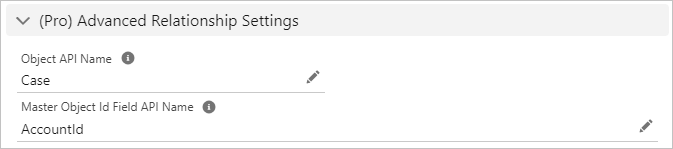
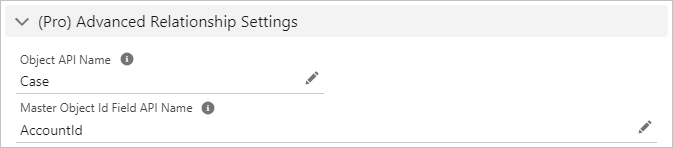
Next, enter the field values in the "(Pro) Advanced Relationship Settings" section. Normally, child records are retrieved from the child relationship name, but when advanced relationships are set up, child records are retrieved from the entered "Object API Name" and "Master Object Id Field API Name".
Object API Name: Enter the Case object API name "Case". *Not a child relationship name.
Master Object Id Field API Name: Enter "AccountId", the Account Id field of the Case.
Create the OFC_Child Object Option Record for Closed Cases
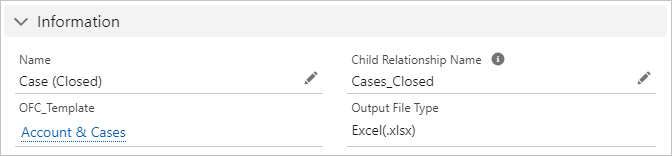
Enter basic information.
Name: Case (Closed)
Child Relationship Name: Enter the child relationship name "Cases_Closed" for the Closed Cases.
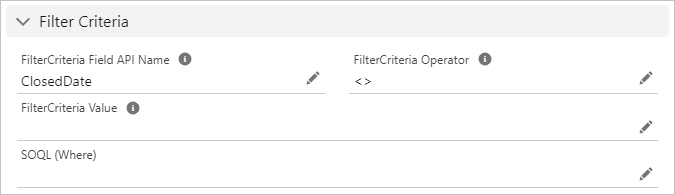
Next, enter the field values in the "Filter Criteria" section.
Filter Criteria Field API Name: ClosedDate
Filter Criteria Operator: <>
Filter Criteria Value: (Leave blank)
Next, enter the field values in the "Sort Order" section.
Sort Field 1 API Name: CaseNumber
Sort Field 1 Order: Ascending (NULLS FIRST)
Next, enter the field values in the "(Pro) Advanced Relationship Settings" section.
Object API Name: Enter the Case object API name "Case". *Not a child relationship name.
Master Object Id Field API Name: Enter "AccountId", the Account Id field of the Case.
Output File
Open and closed case records are output in different layouts.
Reference
Output Child Records in Separate Tables for Each Filter Criteria

