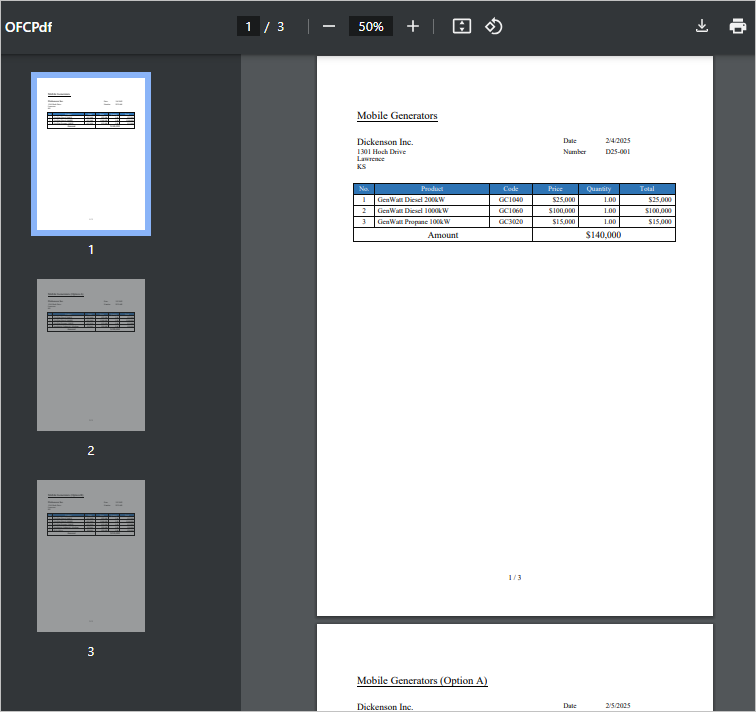
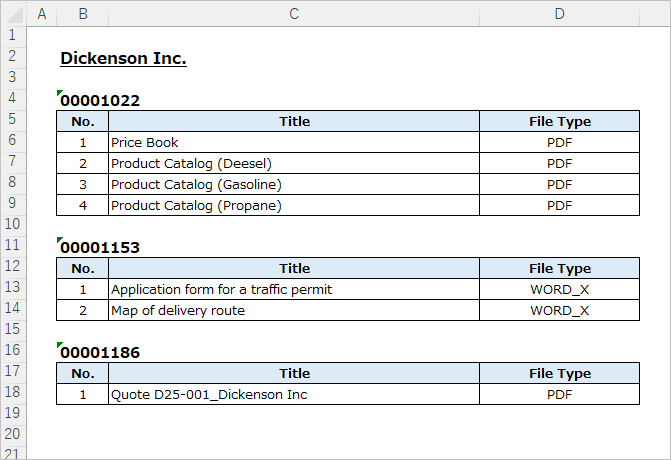
This article shows the procedure for outputting case records related to the Account of the Opportunity in Office File Creator. By setting a subquery in SOQL with advanced relationship settings, it is possible to output child records related to the master object's lookup fields.
*This feature is available in Office File Creator Pro.
*This feature requires knowledge of SOQL.
Output Sample
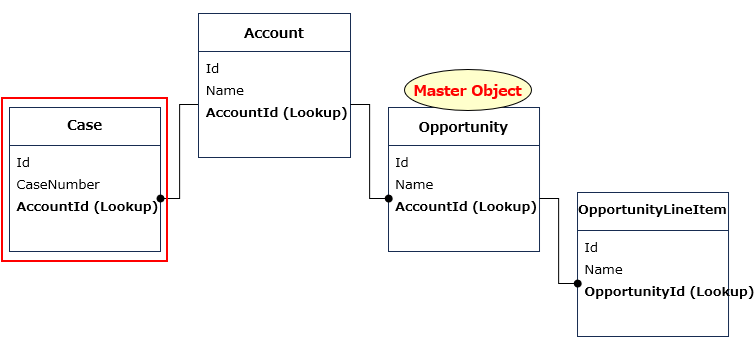
As an example, when the Opportunity is the master object, output the case related to the Opportunity's parent Account.
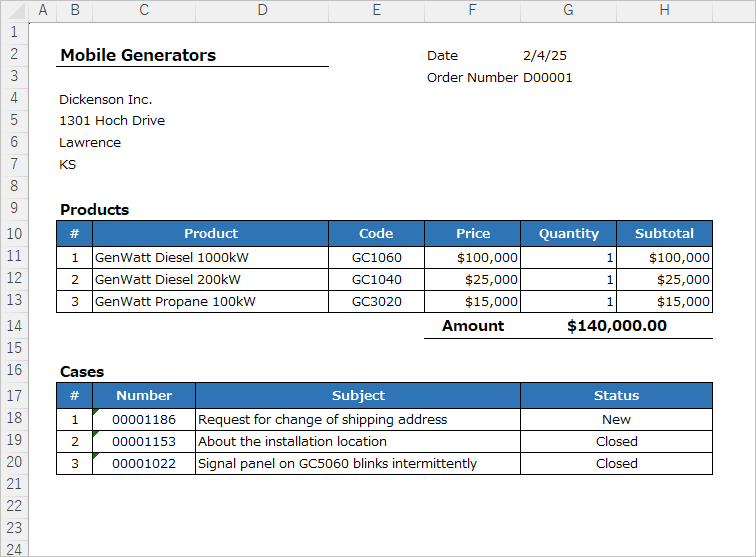
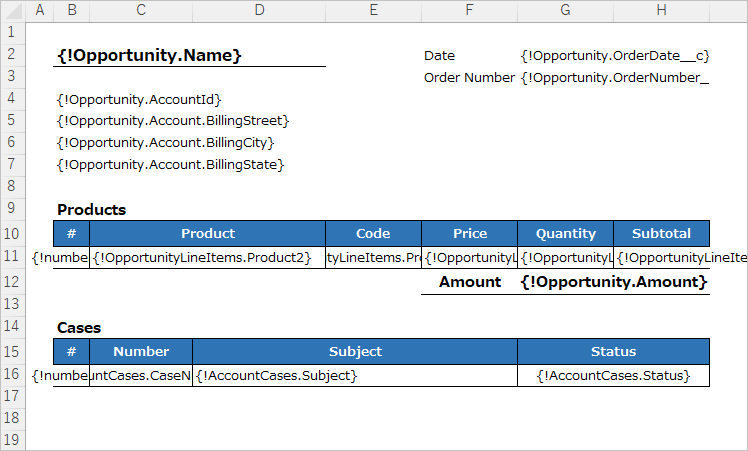
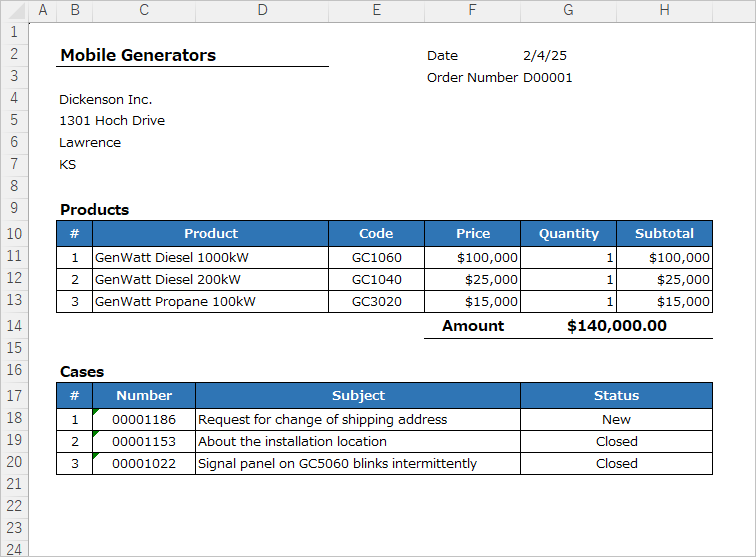
Output the child records of the Product related to the Opportunity and the Case related to the Account.
Overview of Settings
- Set the SOQL with subqueries to the (Pro) Advanced Relationship Settings in the OFC_Child Object Option.
Merge Field Settings
Set any child relationship name for the merge field of the Case of the Account. The child relationship name must begin with a letter and only alphanumeric characters and underscores are allowed. In this example, set "AccountCases" as the child relationship name for the case.
Create OFC_Template Record
Create the OFC_Tempalate record.
Name: Opportunity Invoice with Account Cases
Template API Name: OpportunityInvoice
Object API Name: Opportunity
Create OFC_Child Object Option Record
Create the OFC_Child Object Option record.
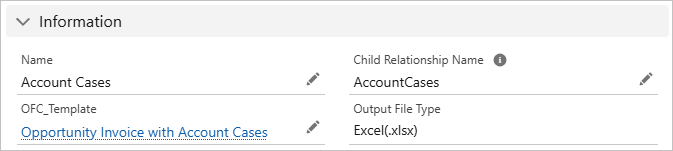
Information
Name: Account Cases
Child Relationship Name: AccountCases
Sort Order
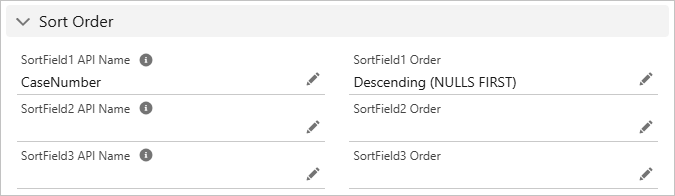
Set the CaseNumber in descending order.
Sort Field 1 API Name: CaseNumber
Sort Field 1 Order: Descending (NULLS FIRST)
(Pro) Advanced Relationship Settings
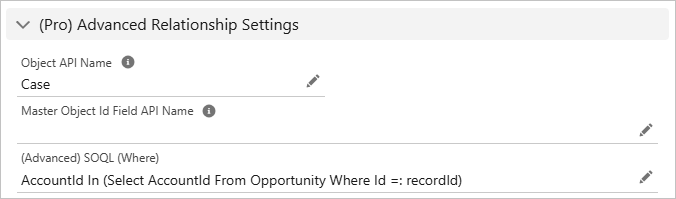
Set a subquery in SOQL.
Object API Name: Case
(Advanced) SOQL (Where): Enter a SOQL subquery. The subquery should specify the condition after Where and must include "=:recordId". The "recordId" is case-sensitive; enter it exactly as shown.
e.g. AccountId In (Select AccountId From Opportunity Where Id =: recordId)
*It is not allowed to enter both "Master Object Id Field API Name" and "(Advanced) SOQL (Where)".
Check in Developer console
Check the developer console for the SOQL to get the Case record of Account from the record Id of Opportunity.
SOQL
Select CaseNumber,Status From Case Where AccountId In (Select AccountId From Opportunity Where Id='006J100000ABCDE')
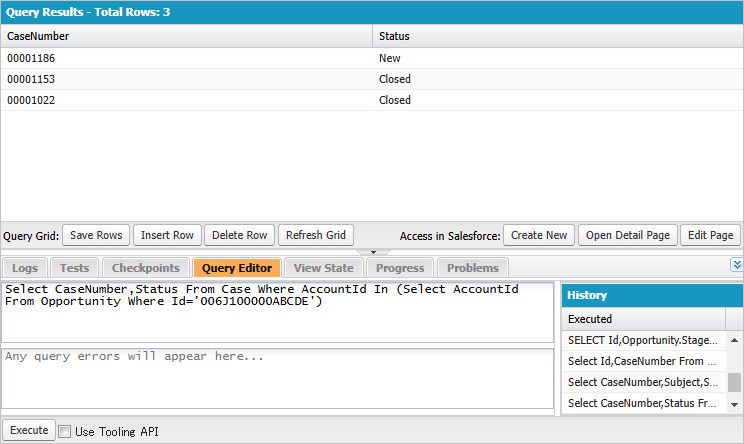
Check that the record screen shows the same case records as the result in the developer console.
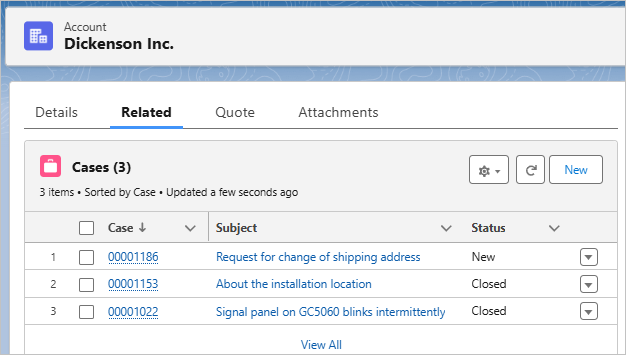
After confirming that the record can be retrieved correctly, cut out the part after Where and change "Id='006J100000ABCDE'" to "Id =:recordId".
(Advanced) SOQL (Where)
AccountId In (Select AccountId From Opportunity Where Id =: recordId)
Output File
Output the child records of the Product related to the Opportunity and the Case related to the Account.
(Reference) Output Child Records of the Child Object's Lookup Field
The master object is Opportunity, the child object is OpportunityContactRole, the lookup field of OpportunityContactRole is Contact, output child Case records of the Contact.
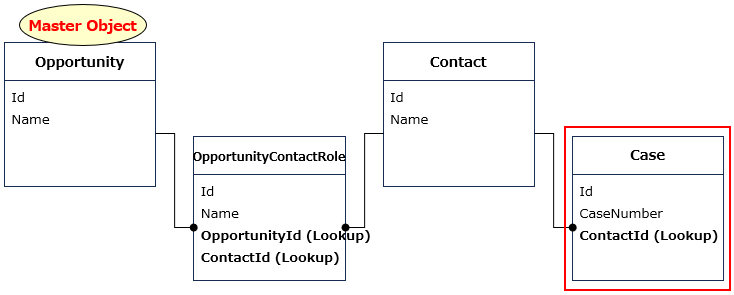
(Pro) Advanced Relationship Settings
Object API Name: Case
(Advanced) SOQL (Where): ContactId In (Select ContactId From OpportunityContactRole Where OpportunityId =: recordId)
Note
- The SOQL setting is for developers and advanced users who require knowledge of SOQL and is not covered by inquiry support.
Reference
Output Child Records related to the Lookup Field