This article shows how to output a list of files of Cases related to the Account in Office File Creator, grouped by case number.
*This feature is available in Office File Creator Pro.
Output Sample
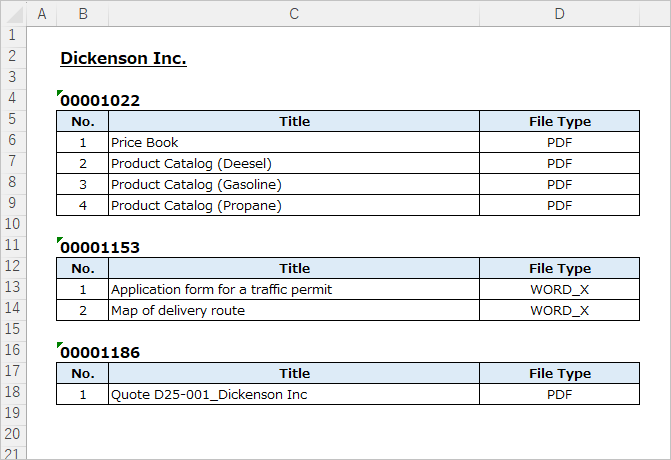
Output a list of files of Cases related to the Account.
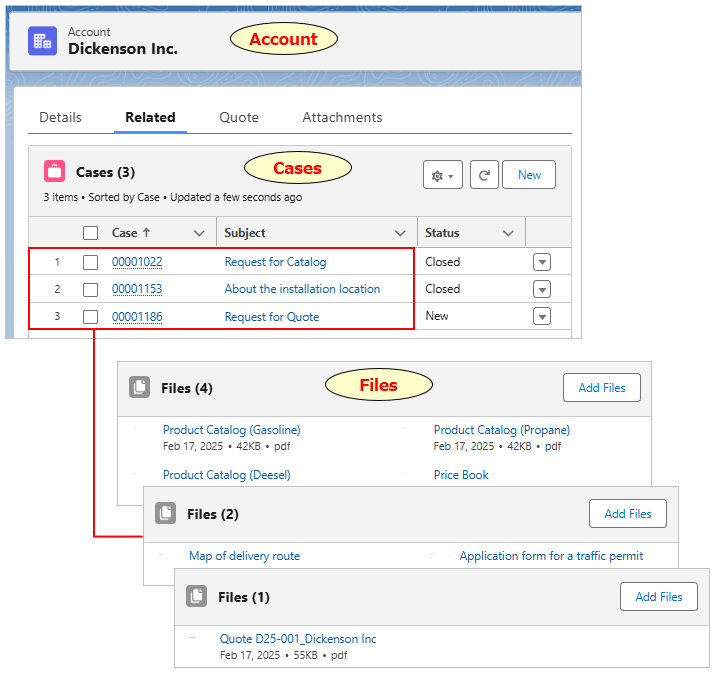
A list of files grouped by case number is output.
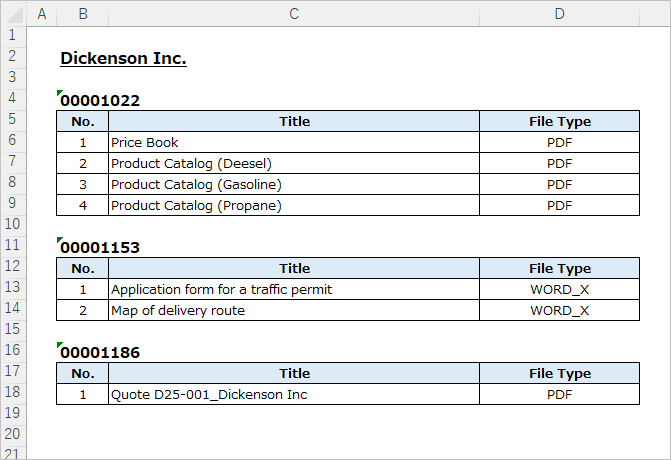
Overview of Settings
- By using ContentDocumentLink instead of ContentDocument for the object name of the merge field, the related record information and file information are output together.
- ContentDocumentLink has a file lookup field "ContentDocument" and a record lookup field "LinkedEntity". Use these cross-object formulas for merge fields.
Merge Field Settings
Set merge fields in the form {!(Child Relationship Name)Related File Object API Name.Field API Name} for the child's related files.
The file merge field is the ContentDocumentLink.ContentDocument.File Field API Name.
The record merge field is the ContentDocumentLink.LinkedEntity.Record Field API Name.
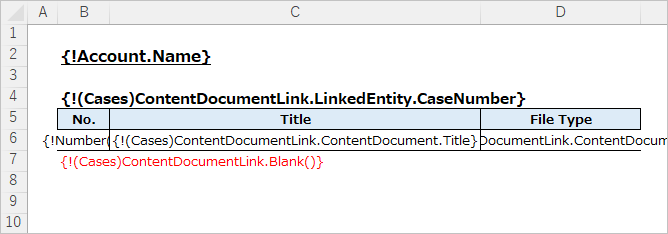
Header Row
{!(Cases)ContentDocumentLink.LinkedEntity.CaseNumber}
Record Row
{!(Cases)ContentDocumentLink.ContentDocument.Title}
{!(Cases)ContentDocumentLink.ContentDocument.FileType}
Footer Row
{!(Cases)ContentDocumentLink.Blank()}
Create OFC_Template Record
Create the OFC_Tempalate record.
Name: Account & Case Files
Template API Name: AccountCaseFiles
Object API Name: Account
Create OFC_Child Object Option Record
Create the OFC_Child Object Option record.
Information
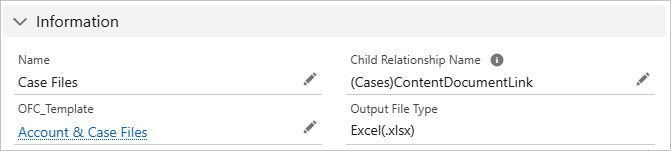
Name: Case Files
Child Relationship Name: (Cases)ContentDocumentLink
Sort Order
Set the sort order.
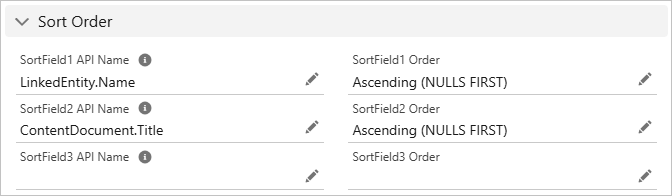
Sort Field 1 API Name: LinkedEntity.Name
Sort Field 1 Order: Ascending (NULLS FIRST)
Sort Field 2 API Name: ContentDocument.Title
Sort Field 2 Order: Ascending (NULLS FIRST)
*Only LinkedEntityId and LinkedEntity.Name can be specified as sort fields.
(Pro) Group Data
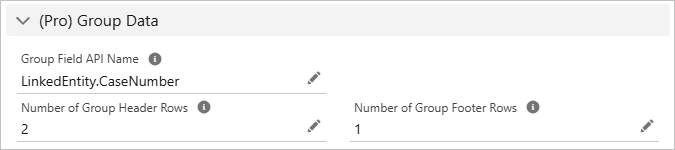
Group by CaseNumber.
Group Field API Name: LinkedEntity.CaseNumber
Number of Group Header Rows: 2
Number of Group Footer Rows: 1
Output File
A list of files grouped by case number is output.
Reference
Output Related Files (List/Images)