This article shows the procedure for outputting the three quotation patterns in a PDF with a single form per page in Office File Creator.
*This feature is available in Office File Creator Pro.
Output Sample
As an example, output the Opportunities and Opportunity Products related to the Account.
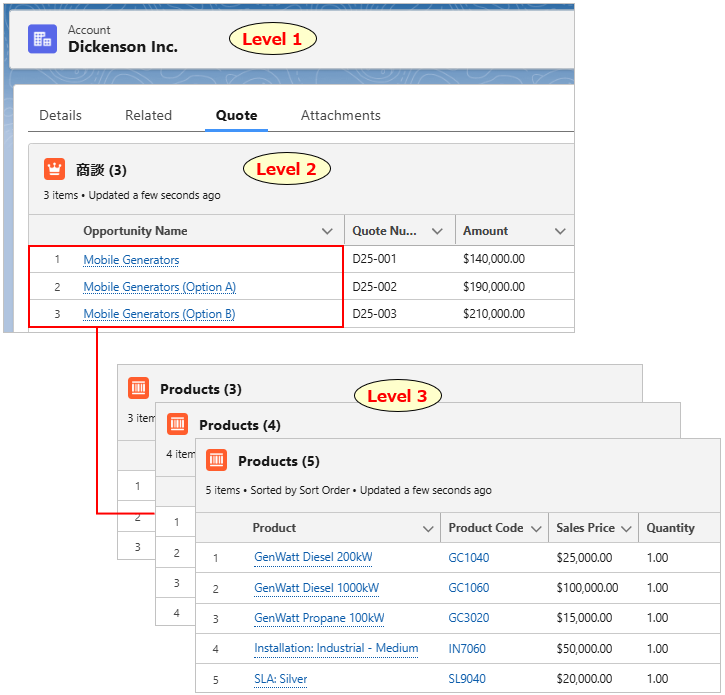
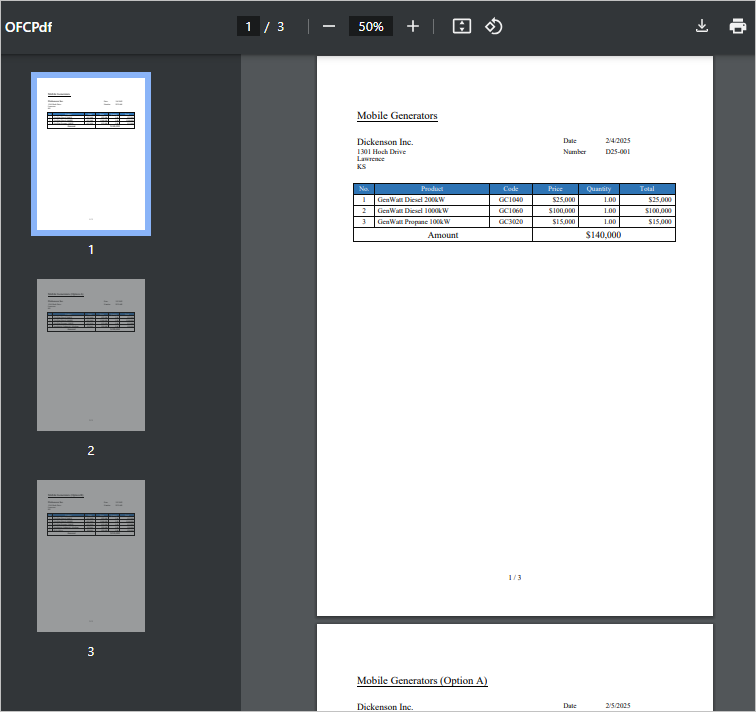
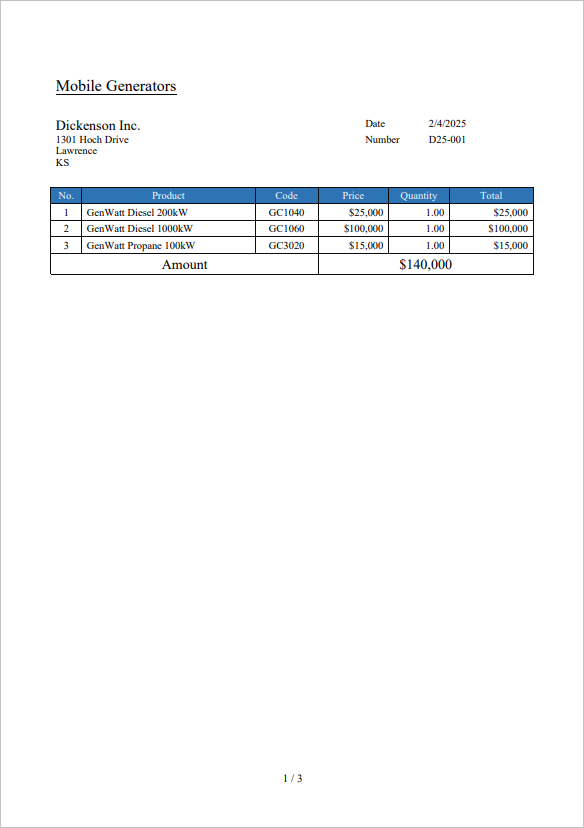
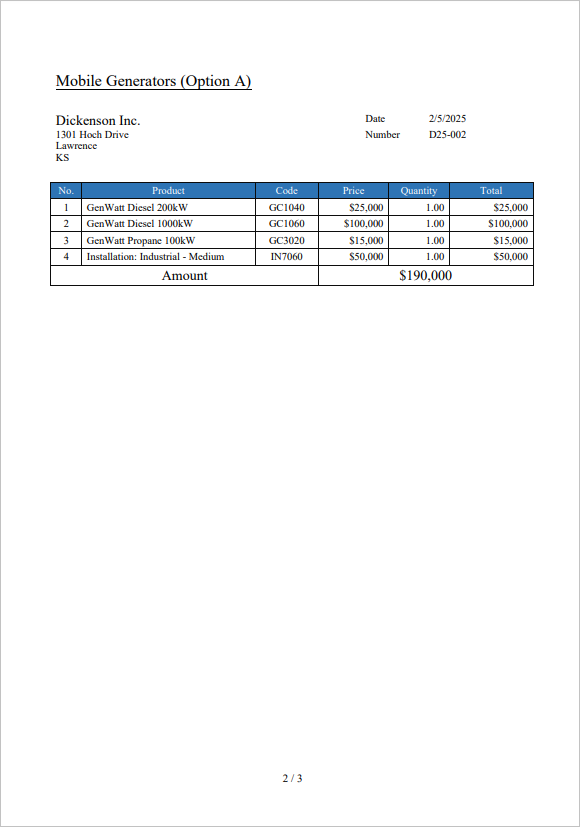
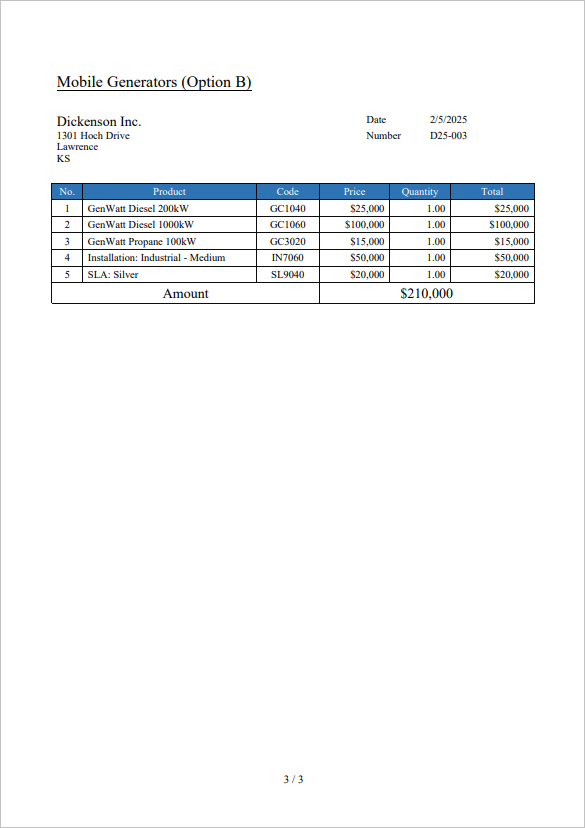
Three pages of quotes are output in one PDF file.
Overview of Settings
- By setting merge fields of the child record from the first to the last row of the page, the entire page becomes a block row of child records.
- Group Product (3 levels) by Opportunity (2 levels).
- Output in one group/one page by breaking pages by group.
Merge Field Settings
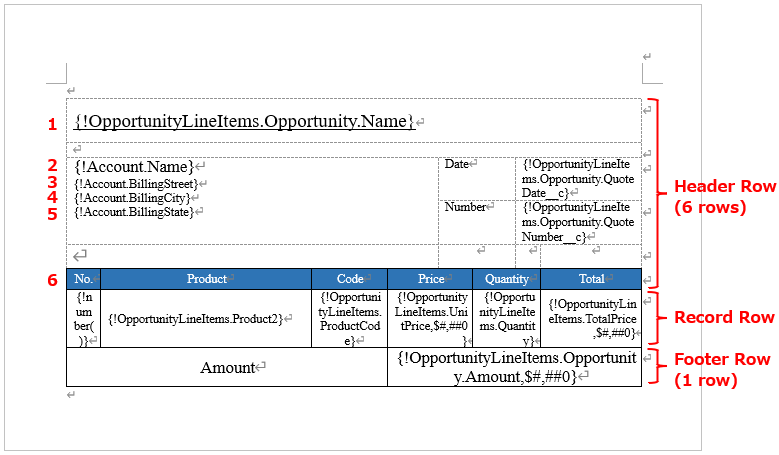
Set the merge fields of the Product (3 levels). By setting the Product merge fields on the first and last rows, the entire page is considered a block row of child records. The merge fields of the master object can be set in a block row.
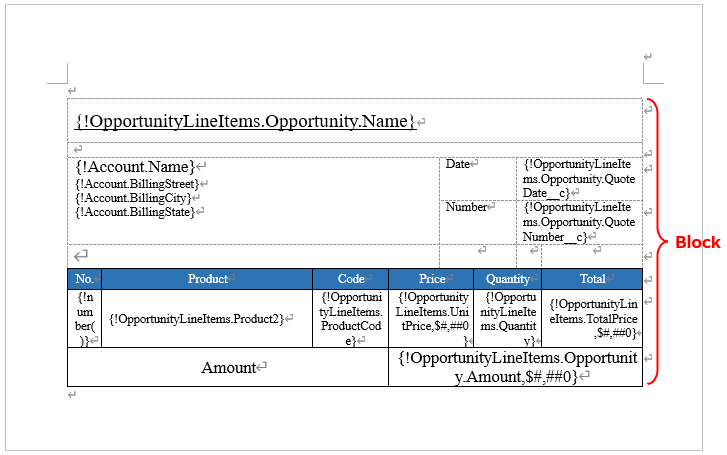
Counts the number of header rows and footer rows. These row counts are set to the OFC_Child Object Option record later.
Header Row: Set the Opportunity and Account information in the header row. The total is 6 rows.
Record Row: This row repeats the product record.
Footer Row: The row for the total amount of the products. The total is one row.
*Blank rows are not counted in the header and footer row counts.
Set the page number merge field in the footer of the document.
{!pagenumber()} / {!pagecount()}

Create OFC_Template Record
Create the OFC_Template record.
Name: Account Quote
Template API Name: Account_Quote
Object API Name: Account
Output File Type: PDF(.pdf)
Create OFC_Child Object Option Record
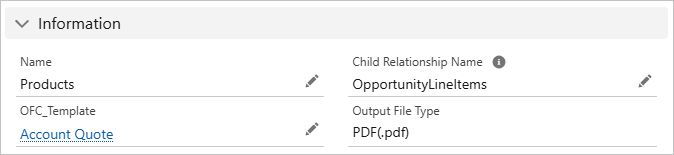
Create the OFC_Child Object Option record.
Information
Name: Products
Child Relationship Name: OpportunityLineItems
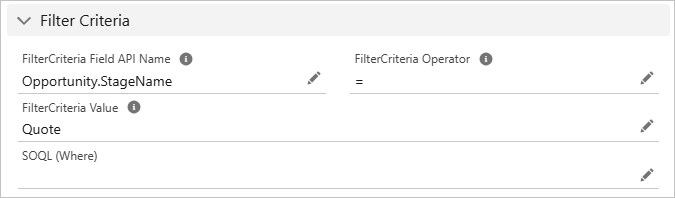
Filter Criteria
To output only quotations related to the Account, set the "Opportunity.StageName = Quote" for the Filter Criteria.
Filter Criteria Field API Name: Opportunity.StageName
Filter Criteria Operator: =
Filter Criteria Value: Quote
Sort Order
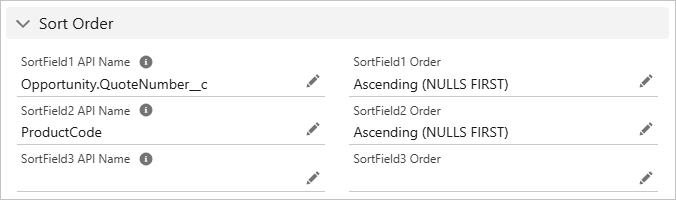
The sort order is the Quote Number of Opportunity and the Product Code of the Products.
Sort Field 1 API Name: Opportunity.QuoteNumber__c
Sort Field 1 Order: Ascending (NULLS FIRST)
Sort Field 2 API Name: ProductCode
Sort Field 2 Order: Ascending (NULLS FIRST)
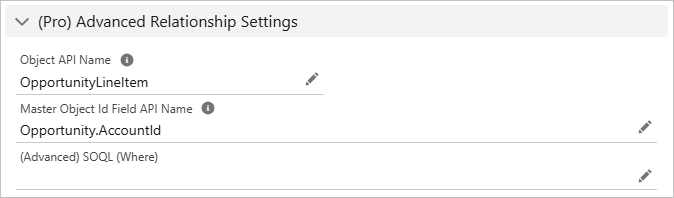
(Pro) Advanced Relationship Settings
The products are child records of the third level from the master object of the Account.
Object API Name: OpportunityLineItem
Master Object Id Field API Name: Opportunity.AccountId
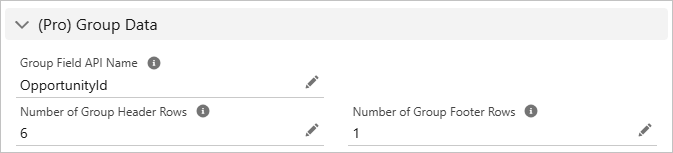
(Pro) Group Data
Groups Products (3 levels) by Opportunity (2 levels).
Group Field API Name: OpportunityId
Number of Group Header Rows: 6
Number of Group Footer Rows: 1
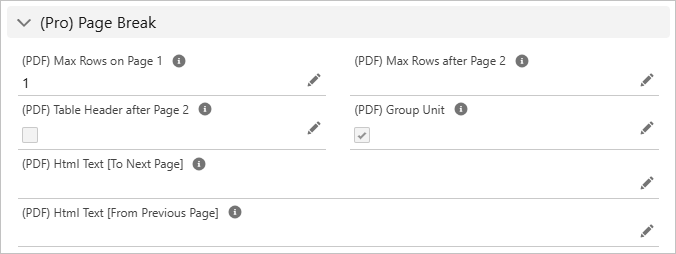
(Pro) Page Break
By checking on the Group Unit, page breaks are made by 1 line = 1 group.
(PDF) Max Rows on Page 1: 1
(PDF) Page Break by Group: Check
Output File
Three pages of quotes are output in one PDF file.
Page 1
Page 2
Page 3
Reference