
We've released a new version of Office File Creator Ver.2.
Revision Details
Added a file save and download option
When saving a file to Salesforce as an attachment to a record, a download option has been added.
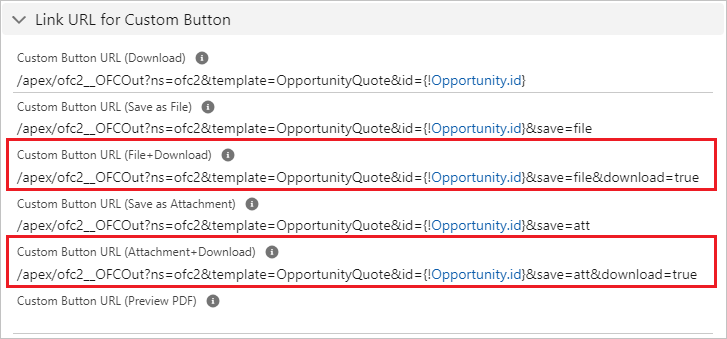
Custom Button
The following items have been added to the OFC_Template object.
Custom Button URL (File+Download)
Custom Button URL (Attachment+Download)
*When saving + downloading files, it is not possible to automatically transition to the record detail screen after file output.
*When executing the batch download, please make sure that all files have been downloaded. A completion message will appear before all files are downloaded, and the actual download may have a time lag.
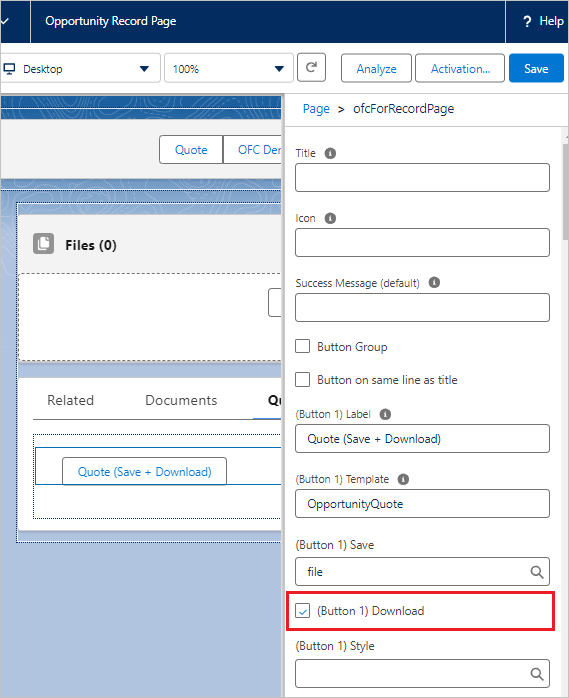
Lightning Component Button
A "Download" option has been added to the Lightning component "ofcForRecordPage". When downloading in addition to saving a file, select the "download" option checkbox.
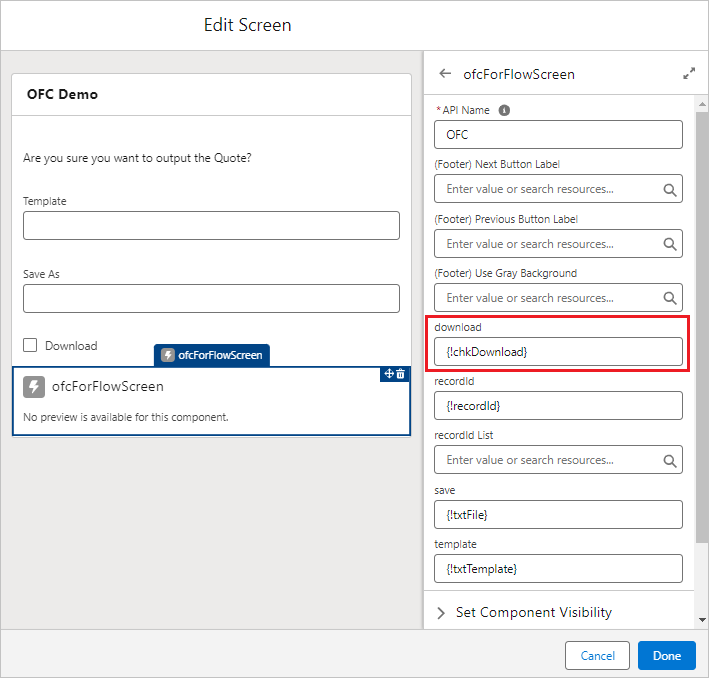
Flow
A "download" option has been added to the Lightning component "ofcForFlowScreen". When downloading in addition to saving a file, select the "download" option checkbox.
Added an option that can be called from Experience Cloud (with restrictions)
In Ver.2, the use of Experience Cloud is discontinued, but an option has been added to allow screen flows to be called on Experience Cloud with restrictions. When calling on Experience Cloud, select the "Use on Experience Cloud (not supported)" checkbox in the OFC_Template object.
*This option is available in Pro.
Limitations
The app is unsupported and is not guaranteed to work on Experience Cloud. We do not provide any support for settings or error inquiries when using the app on Experience Cloud. Check this field if you use the app on Experience Cloud that is not supported by the app. By checking this field, the app can be invoked in the screen flow.

Other Changes
- Changed the label of the "Custom Button URL (Export to File)" field on the OFC_Template object to "Custom Button URL (Download)".
- Added the "User Type" and "Download" fields to the OFC_Log object.
Version
Ver.2.09
*Existing users of Ver.2 have been upgraded.
Actions Required for the New Version
This version upgrade requires some manual steps. Please follow the procedures below.
Granting field-level security
- Please grant the administrator user the permissions to read/edit the following new fields in the OFC_Template object.
Use on Experience Cloud (not supported)
Custom Button URL (File+Download)
Custom Button URL (Attachment+Download)
- Please grant the administrator user the permissions to read the following new fields in the OFC_Log object.
User Type
Download
Change the page layout
Please change the following use page layouts. Please delete the old page layout.
- Change the page layout of OFC_Template object to "OFC_TemplateLayout_ver2".
- Change the page layout of OFC_Log object to "OFC_LogLayout_ver2".
Demo
Custom Button
*When saving + downloading files, it is not possible to automatically transition to the record detail screen after file output.
Lightning Component button
*When executing the batch download from the List View, please make sure that all files have been downloaded. A completion message will appear before all files are downloaded, and the actual download may have a time lag.
Batch File Output from ListView
Setting Manual
